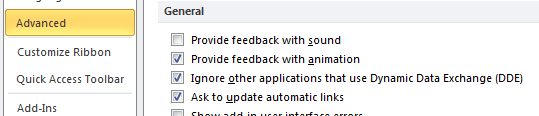
I recently got very annoyed that I couldn’t open 2 instances of Excel. After a little bit of research, I found out if you open up Excel and go to File -> Options -> Advanced, scroll down to the bottom, and underneath the General section check the “Ignore other applications that use Dynamic Data Exchange” option. Here is a screen shot of the setting: